
Momentum investing is all about identifying stocks that are gaining strength and riding their trend. With BossInvestor, you can seamlessly build and execute a momentum strategy using our user-friendly framework. Here's a step-by-step guide to navigating the Momentum Strategy on our platform.
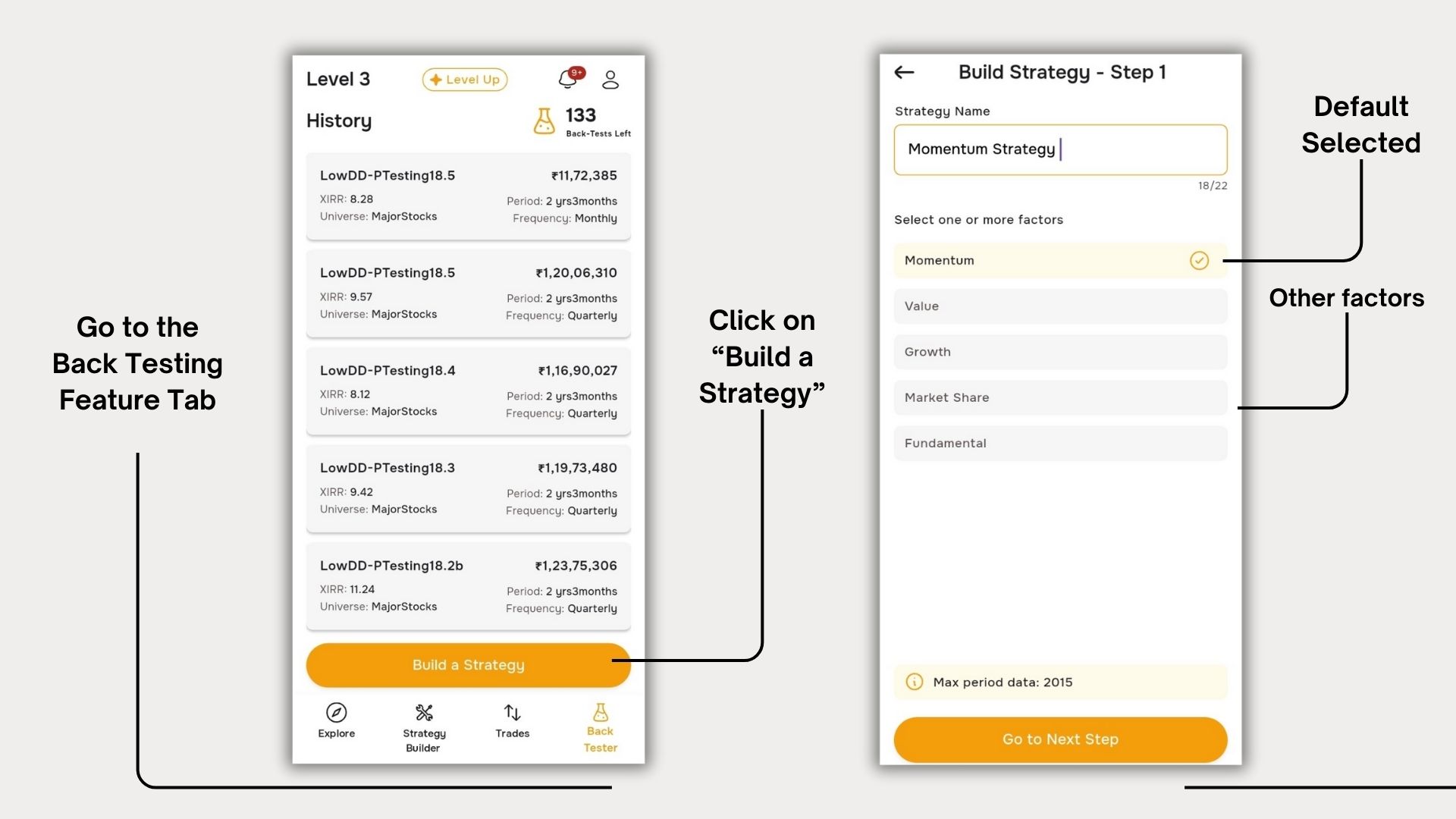
Step 1: Building Your Strategy
As soon as you click on the “Build a Strategy” button, Momentum is pre-selected as the default strategy. You just need to:
- Name your strategy in the Name Box
- Click“Go to Next Step”
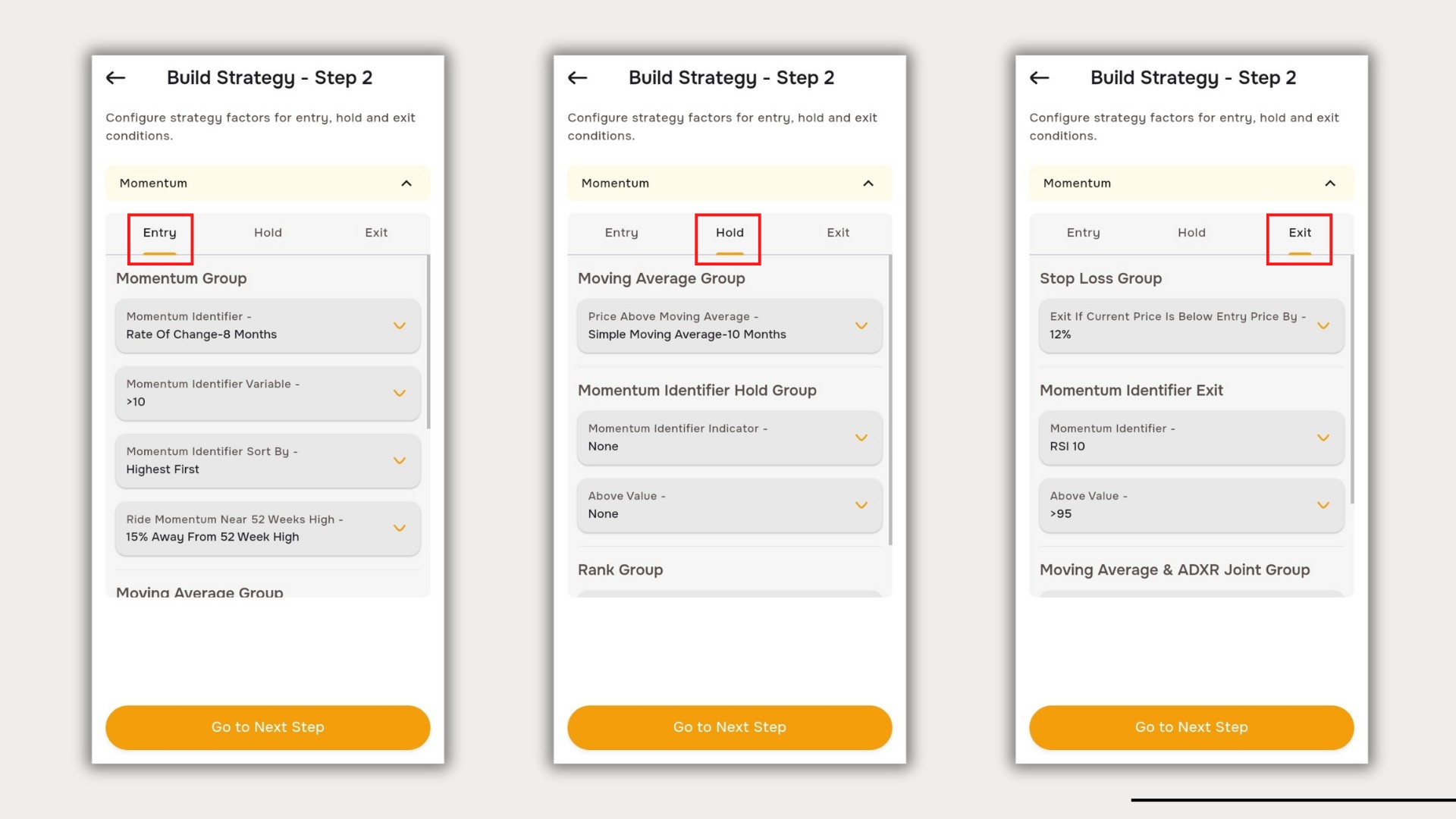
Step 2: Defining Entry, Hold & Exit Rules
This is the most crucial step, where you configure how stocks enter, stay, and exit your portfolio. Each sub-section plays a unique role in shaping your momentum strategy.
Entry Criteria – Selecting the Right Stocks
In the Entry Section, you define how stocks qualify for your strategy.
Momentum Group
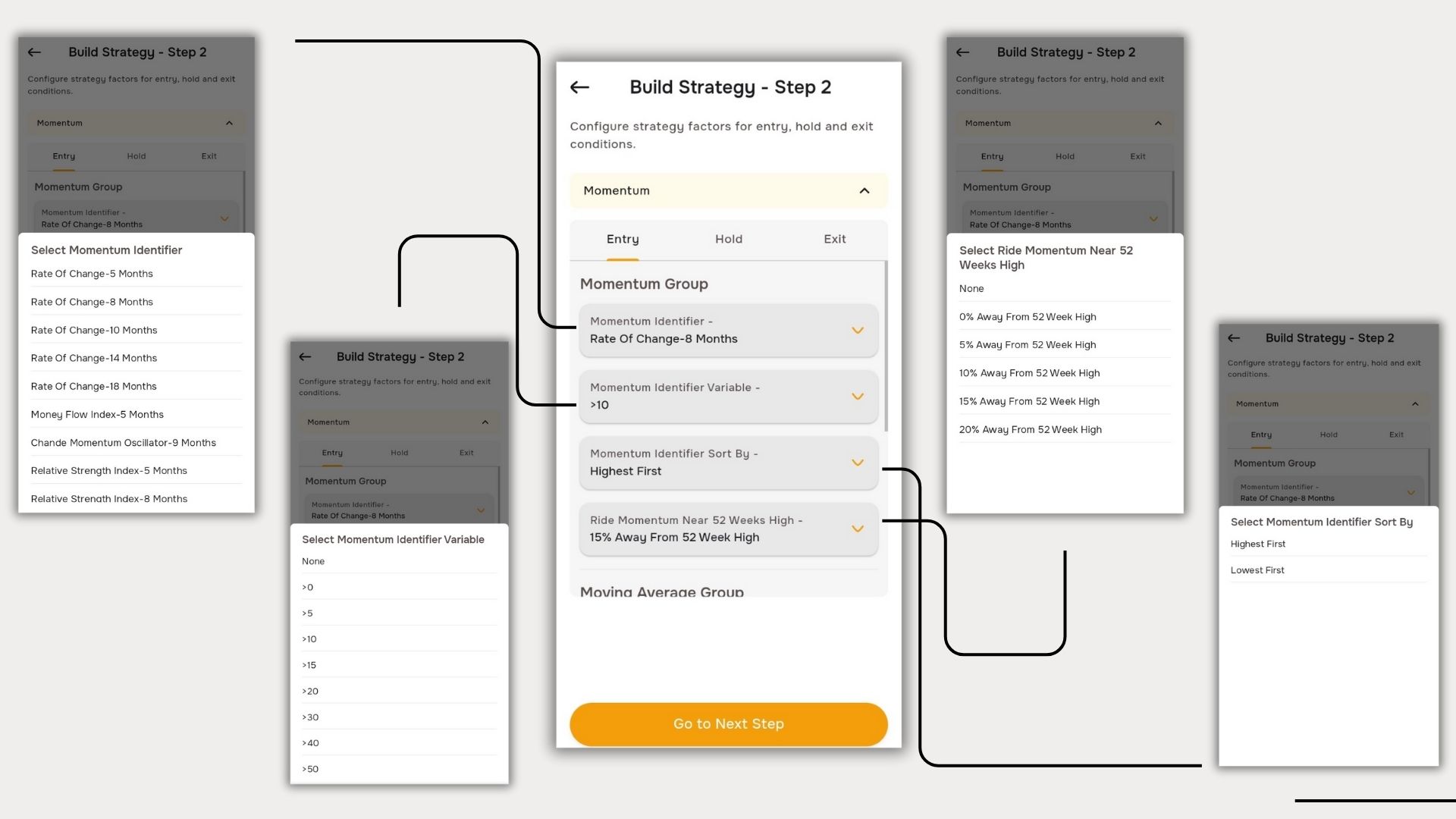
The Momentum Group consists of four parts:
- Momentum Identifier: Filters stocks based on their trend strength.
- Momentum Identifier Variable: Defines conditions (e.g., "Rate of Change – 5 Months > 0%").
Example: If you select Rate of Change – 5 Months and set the variable ">0%", the system picks stocks that have been gaining at least 0% in the last 5 months.
- Sorting Mechanism: Stocks are sorted by highest or lowest change.
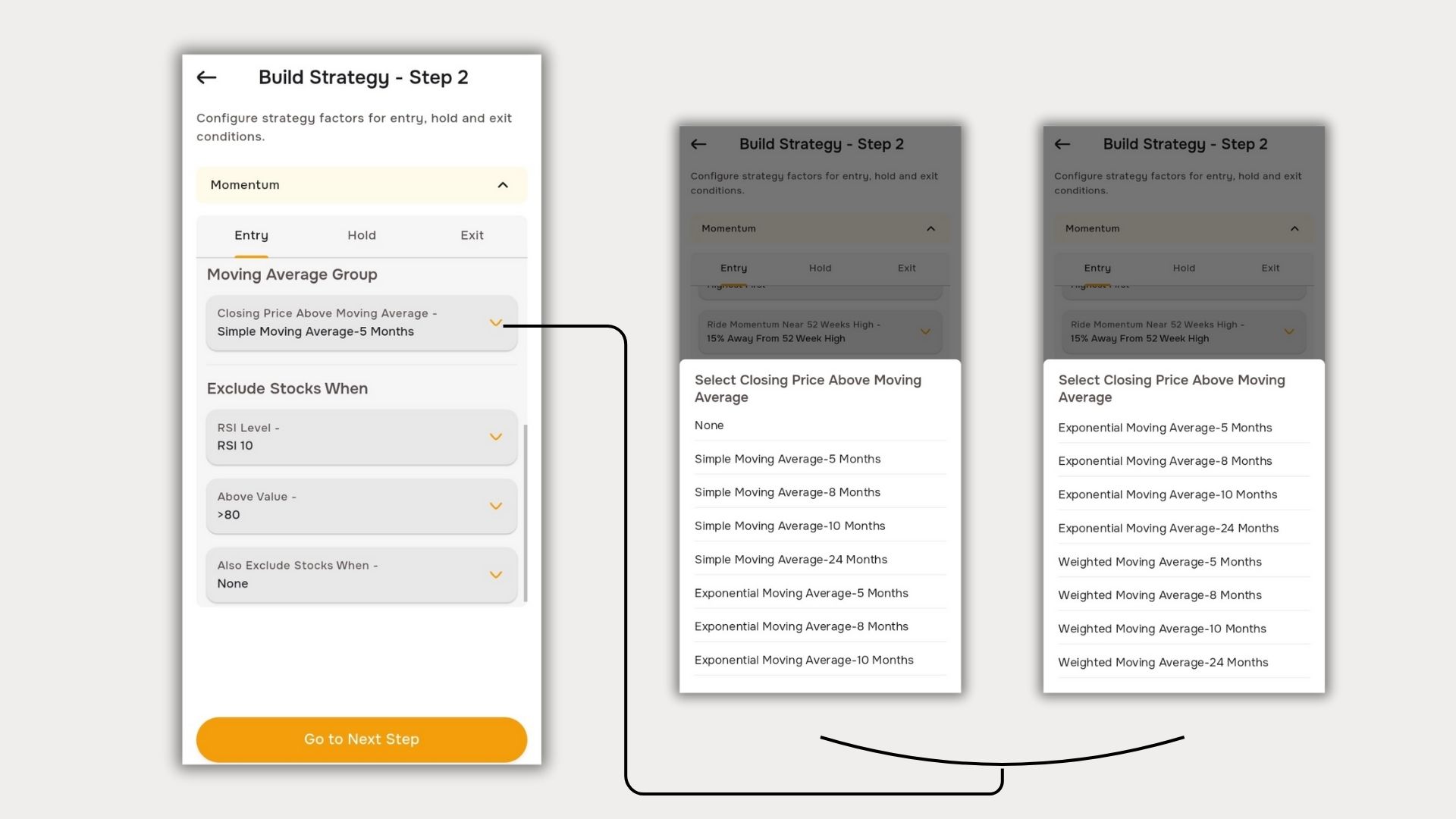
- Position Selection: It will pick stocks which are away from 52 week High (as per user need).
Moving Averages
To ensure your selected stocks are trending, you can apply:
- Simple Moving Average (SMA)
- Exponential Moving Average (EMA)
- Weighted Moving Average (WMA)
Moving Averages will ensure that the selected stocks have a closing price above your chosen Moving Average.
Different timeframes are available for flexibility.
Avoiding Overbought Stocks
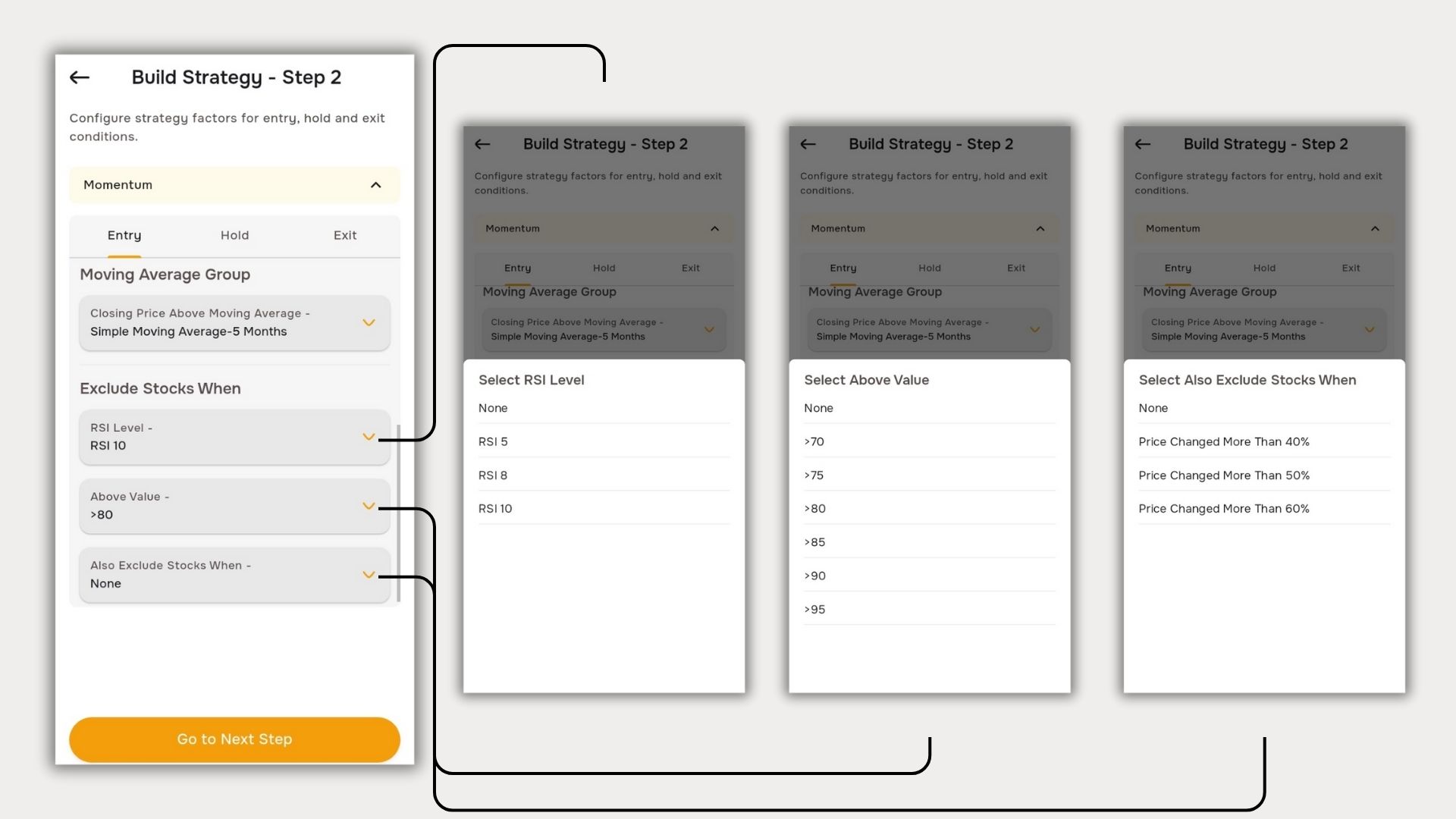
BossInvestor also allows you to filter out stocks that may be overbought.
Example: If you set RSI 10 > 80, stocks with RSI above 80 (which indicates potential overbought conditions) will be excluded.
Here, RSI 10 means the Relative Strength Index of the last 10 months.
Note: This is just an assumption—stocks above RSI 80 can still move up before correcting.
The final part of the strategy excludes stocks that exhibit extreme price fluctuations. This helps eliminate event-driven momentum stocks, commonly referred to as the 'Frog in the Pan' effect.
Holding Stocks – Managing Positions
Once a stock enters your portfolio, it moves to the Hold & Exit Phase.
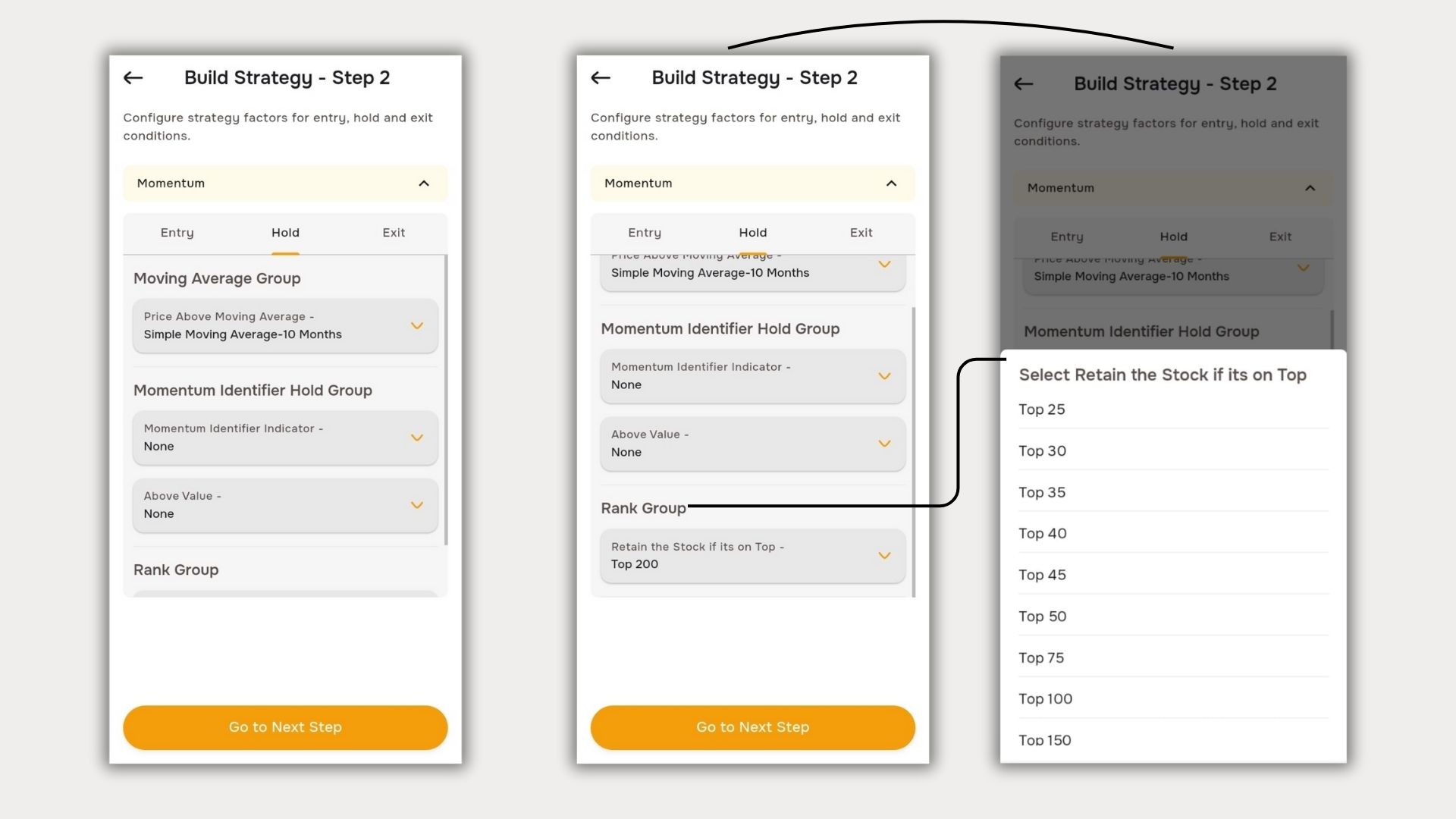
The Hold Section consists of:
- Moving Averages: If a stock stays above a chosen moving average (e.g., SMA 10), it remains in the portfolio.
- Rank Group: Stocks ranking within a set range (e.g., Top 200) are retained (This Rank is Based on ROC Change).
Exit Strategy – When to Sell
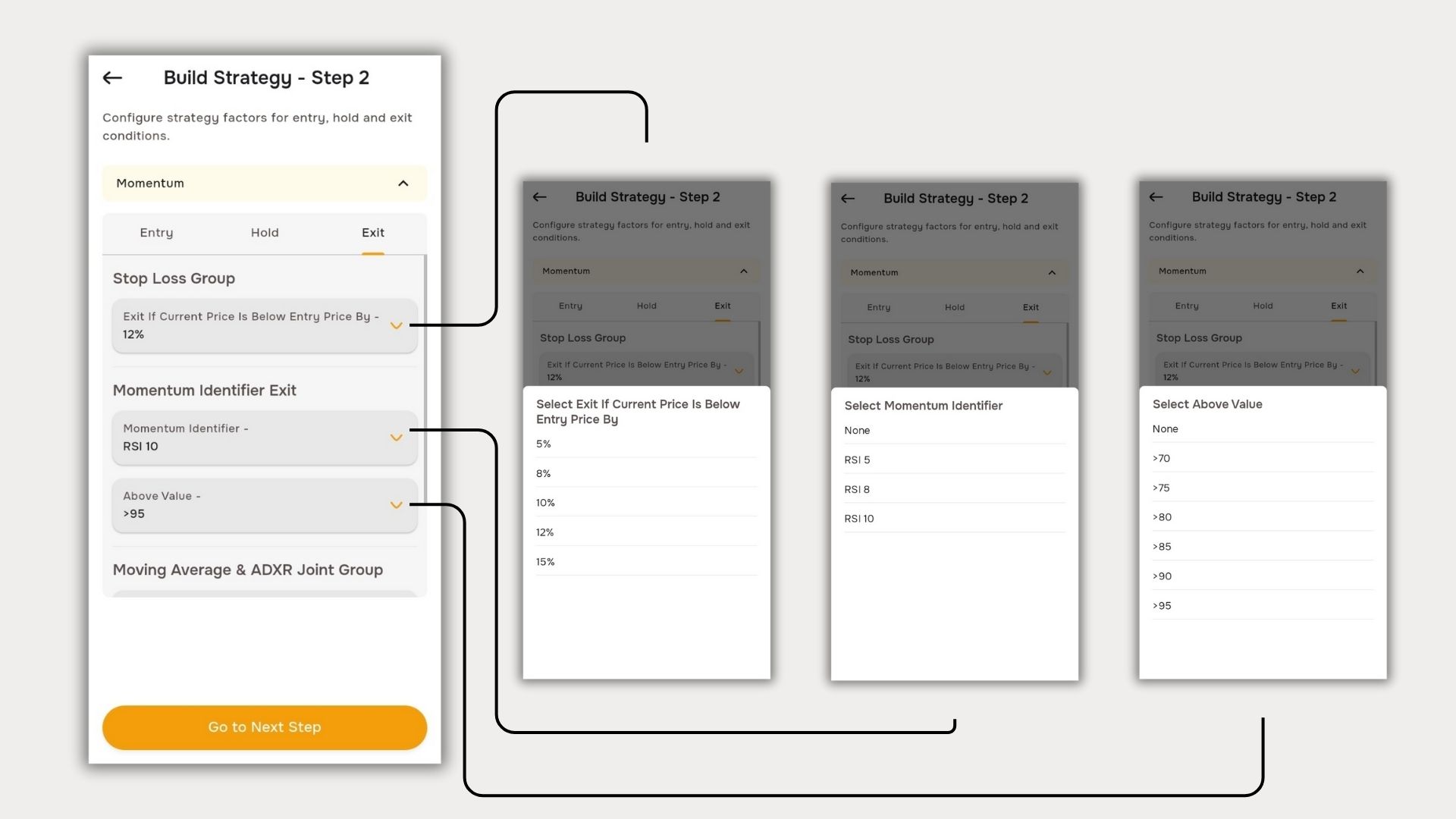
You can define multiple exit triggers, and if any one condition is met, the stock is sold.
- Stop Loss – Set the maximum percentage loss you can tolerate.
- Momentum-Based Exit – If momentum fades, exit is triggered.
Example: If RSI 10 > 95 is selected, the stock will exit as soon as its RSI crosses 95.
(Here, RSI 10 refers to the Relative Strength Index of the last 10 months rising above 95)
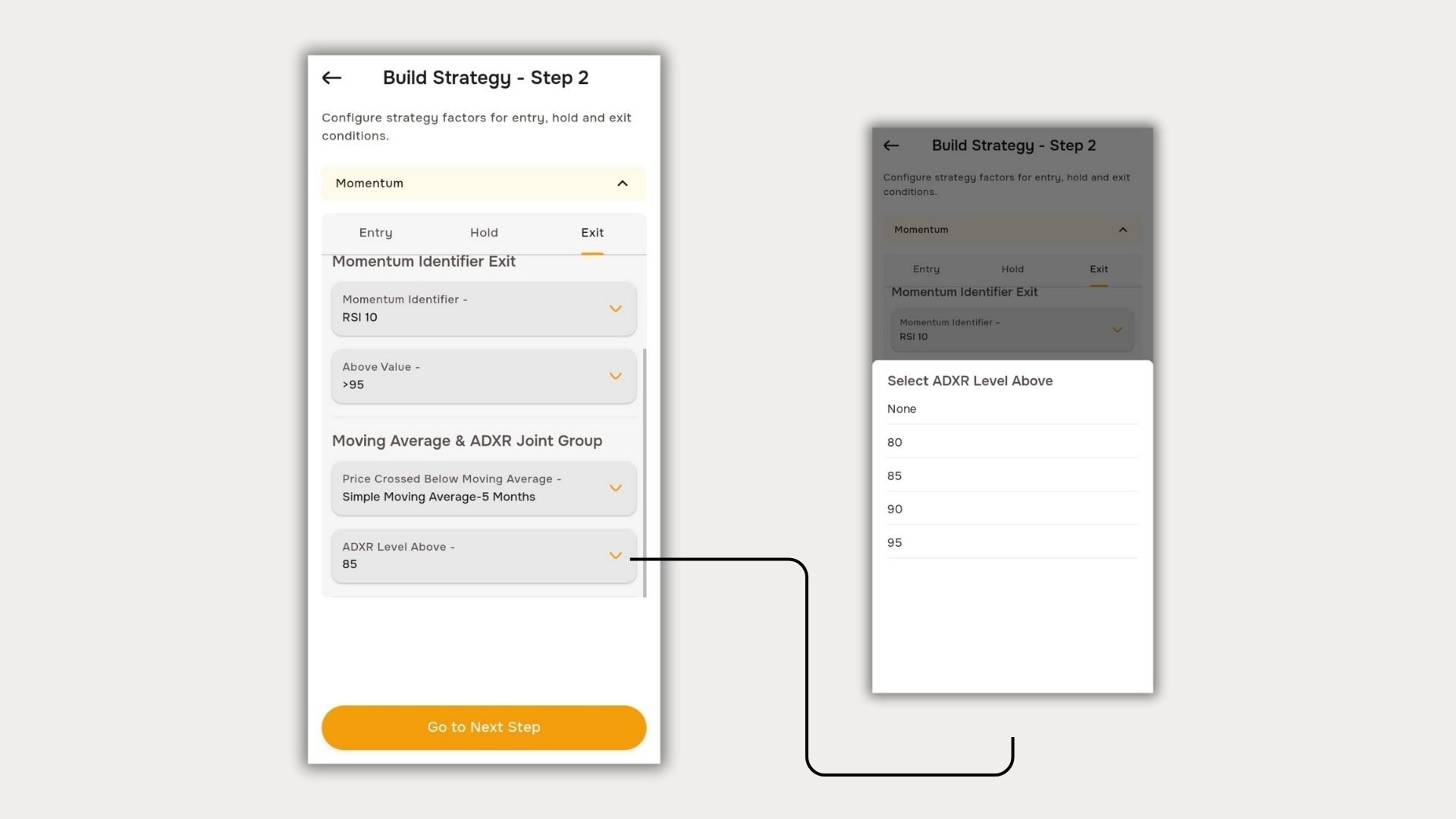
- Moving Averages – If the stock drops below a set moving average, it exits.
- Average Directional Index (ADXR) – Recognizes if the stock is likely to reverse.
Momentum investing works best when risk management is incorporated. The ADXR Level helps identify strong reversal signals—stocks that hit a high ADXR level may be primed for a correction, and an exit ensures profits are secured before a potential drop.
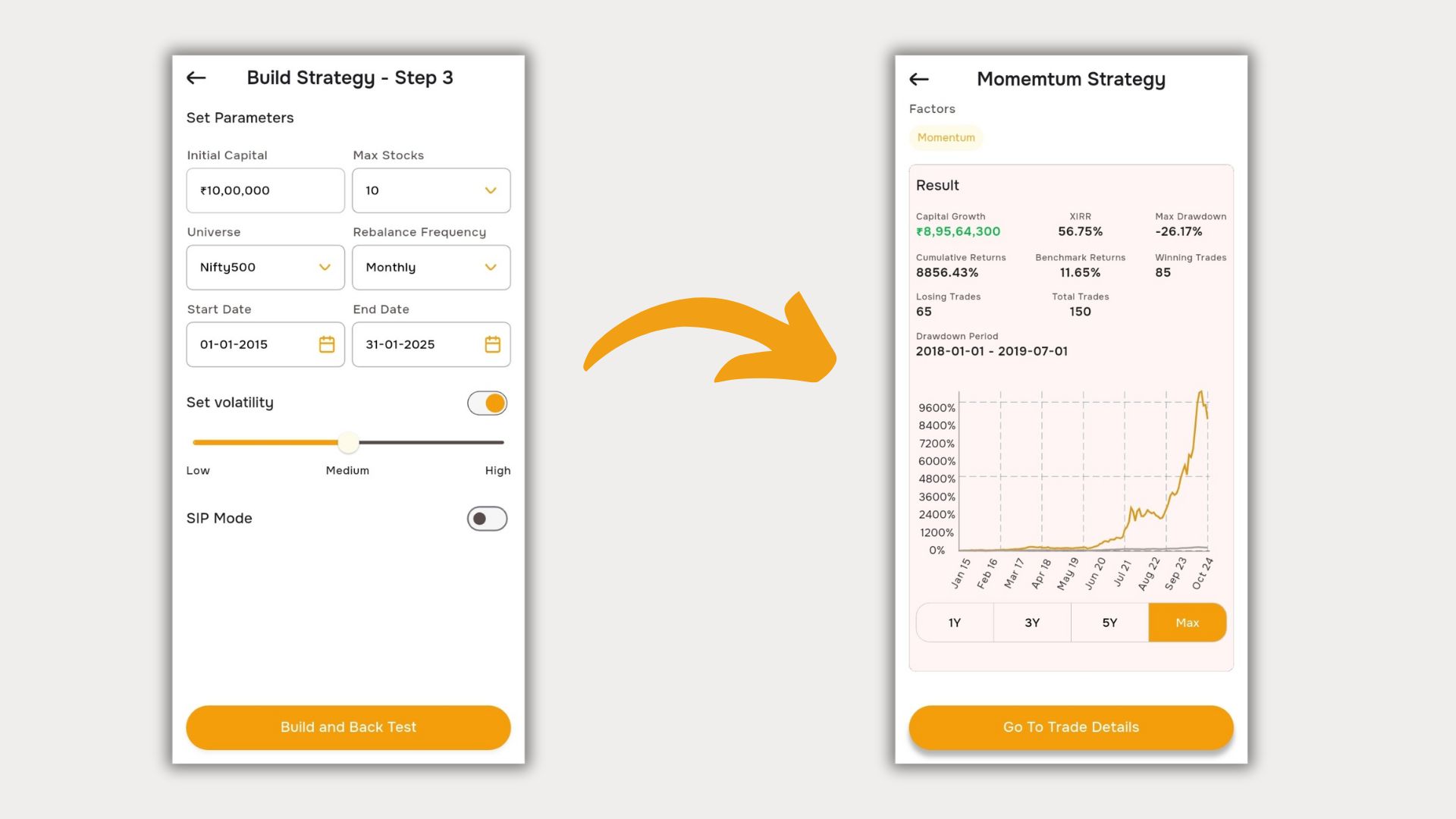
After selecting the required parameters, click on 'Go to Next Step.' This will take you to Step 3, where you can configure key settings such as Initial Capital, which defines the starting investment amount, Maximum Stocks to determine the maximum number of stocks included in the strategy, Universe to select the stock pool available for execution, Rebalancing Frequency to set how often the portfolio adjustments occur, Backtesting Date to analyze historical performance, and Volatility Constraints to manage risk and refine stock selection. Once these parameters are set, clicking on 'Build & Backtest' will generate the results of your designed Momentum framework.
The Results Section will then display key performance metrics, including Capital Growth, which reflects the overall increase in investment value, CAGR (Compound Annual Growth Rate) to show the annualized return of the strategy, Maximum Drawdown to indicate the largest peak-to-trough decline, Cumulative Returns representing total returns over the backtest period, Benchmark Returns for market comparison, Winning & Losing Trades to break down profitable and unprofitable trades, and Total Trades Executed to track the number of trades completed.
Additionally, in the Trade Details section, you will find a categorized list of trades, including Live Trades, which are ongoing positions currently in the portfolio, and Past Performance, which provides a history of executed trades and their outcomes. This detailed analysis ensures a comprehensive evaluation of the Momentum strategy's effectiveness.
With BossInvestor, you have a structured framework to:
- Enter at the right time
- Ride the momentum trend
- Exit before a downturn
Start building your Momentum Strategy today and take control of your investments!
At BossInvestor, we provide a comprehensive backtesting feature that allows you to test your own momentum strategies backed by multiple factors
Click the link below to understand how the Momentum Strategy is crafted and navigate through the application.
Click here to open the User Manual PDF